
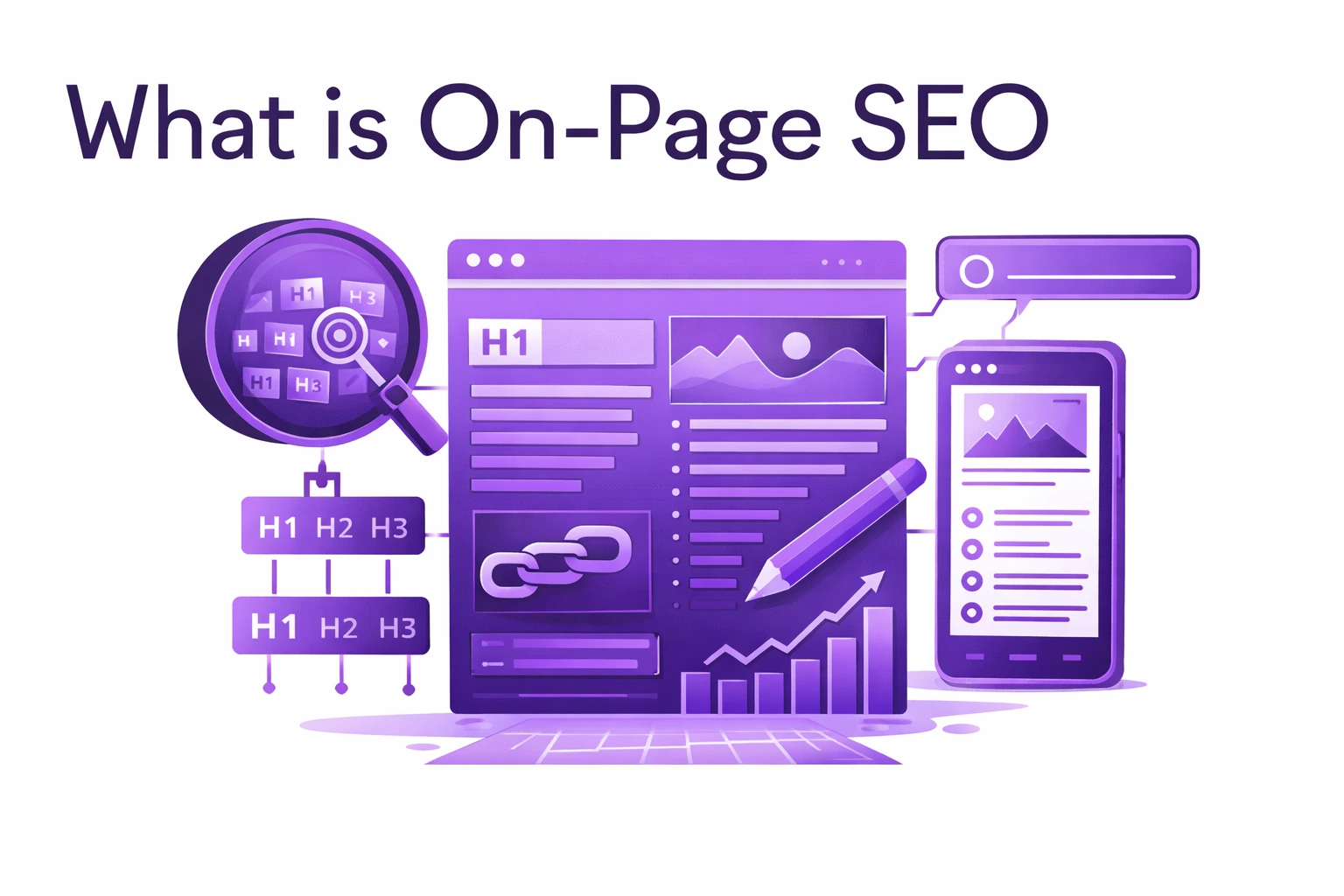
On-page SEO is the practice of optimizing individual web pages and their content to rank higher in search engines and attract more relevant organic traffic. This encompasses everything you control directly on your website, from the visible content users read to the HTML source code that search engines analyze. Unlike off-page SEO which focuses on external signals like backlinks, on-page SEO gives you complete control over the elements that influence how search engines understand, index, and rank your content.
The significance of on-page SEO cannot be understated in 2025’s competitive digital landscape. Research reveals that pages with optimized title tags experience an average 37% increase in click-through rates, while websites with proper header tag structure see 25% better user engagement. Perhaps most compelling, content that precisely matches search intent ranks 40% higher than generic content targeting the same keywords. On-page SEO forms the foundation that allows your content to be discovered, understood, and valued by both search engines and users, directly impacting your visibility, traffic, and conversions.
Understanding the distinctions between SEO categories helps you allocate resources effectively and build comprehensive optimization strategies.
On-page SEO focuses on optimizing the content and HTML elements visible or embedded within individual web pages. Key components include keyword research and strategic placement, high-quality content creation and optimization, title tags and meta descriptions, header tag hierarchy (H1, H2, H3), URL structure optimization, image optimization with alt text, internal linking strategies, content readability and formatting, user experience elements, and multimedia integration. You control all these elements directly and can implement changes immediately without relying on external parties.
Technical SEO addresses your website’s backend infrastructure and architecture, ensuring search engines can effectively crawl, index, and understand your entire site. This includes site speed and Core Web Vitals optimization, mobile responsiveness and mobile-first indexing, XML sitemaps and robots.txt configuration, HTTPS security implementation, structured data and schema markup, site architecture and navigation, canonical tags and duplicate content management, and server configuration and hosting quality. Technical SEO creates the foundation that allows your on-page optimizations to be discovered and properly evaluated.
Off-page SEO encompasses activities occurring outside your website that build authority and credibility. Primary elements include backlink acquisition from authoritative sources, social media signals and engagement, brand mentions across the web, online reviews and reputation management, influencer partnerships and collaborations, and guest posting on industry publications. These external validation signals demonstrate to search engines that others find your content valuable and trustworthy.
All three SEO categories work synergistically. Technical SEO ensures accessibility, on-page SEO delivers relevant and valuable content, and off-page SEO validates your authority. Neglecting any component limits your overall performance potential, regardless of excellence in other areas.
Keyword research represents the foundational step of effective on-page SEO. Without understanding what your target audience searches for, you cannot create content that addresses their needs or appears in relevant search results. Keywords bridge the gap between user intent and your content, determining whether your pages appear when potential customers actively seek solutions you provide.
Effective keyword research begins with understanding your audience’s search behavior and language. Start by brainstorming seed keywords related to your products, services, or content topics. Consider what problems your audience faces, questions they ask, terminology they use, and where they sit in the buyer journey. Use keyword research tools like Google Keyword Planner, Semrush, Ahrefs, Ubersuggest, or AnswerThePublic to expand your seed keywords into comprehensive lists with search volume data, competition metrics, and related terms.
When evaluating potential keywords, consider three critical factors that balance opportunity with feasibility.
Search volume indicates average monthly searches for a keyword, revealing demand level. Higher volume means more potential traffic but typically increases competition. Focus on keywords with sufficient volume to justify optimization efforts while remaining realistic about your ability to rank. New websites might target keywords with 100-1,000 monthly searches, while established sites can pursue terms with 10,000+ searches.
Keyword difficulty measures how challenging it will be to rank in the top 10 results based on the authority of currently ranking pages. Most SEO tools provide difficulty scores on 0-100 scales. Prioritize lower-difficulty keywords initially to build momentum and authority, then progressively target more competitive terms as your domain authority grows.
Search intent reveals what users want when searching specific terms and represents perhaps the most critical evaluation factor. Understanding intent ensures your content format and information match user expectations. Intent falls into four primary categories: informational (seeking knowledge or answers), navigational (looking for specific websites or pages), commercial (researching products or services before purchasing), and transactional (ready to complete an action or purchase).
Analyzing search intent requires examining both the keywords themselves and current search results. Question-based keywords like “what is,” “how to,” or “why does” signal informational intent. Product comparison terms like “best,” “top,” or “vs” indicate commercial intent. Keywords containing “buy,” “price,” “discount,” or “near me” demonstrate transactional intent. Company or brand names typically represent navigational intent.
Always analyze the current top 10 results for your target keywords. Google’s results reflect what it believes best satisfies user intent. If top results are blog posts and guides, create comprehensive informational content. If results show product pages and reviews, optimize for commercial or transactional intent. Never fight against search intent align your content format with what Google rewards for specific queries.
Long-tail keywords longer, more specific phrases with lower search volumes offer tremendous value despite appearing less attractive initially. These phrases like “affordable waterproof hiking boots for women size 8” convert significantly better than broad terms like “hiking boots” because they capture users with specific needs and clear intent. Long-tail keywords also face less competition, making them accessible for newer websites. Additionally, voice search increasingly drives long-tail queries as users ask complete questions to virtual assistants.
Title tags represent one of the most critical on-page ranking factors while simultaneously serving as your primary marketing copy in search results. The title tag appears as the clickable headline in SERPs, browser tabs, and social media shares, making it essential for both algorithms and users.
Effective title tags balance search engine optimization with compelling marketing copy that earns clicks from search results. Google typically displays approximately 50-60 characters in search results, though this varies based on pixel width rather than strict character counts. Craft titles that communicate your main topic within this limit to ensure complete visibility. Truncated titles with ellipses lose impact and may cut off critical information that influences click-through rates.
Include your primary target keyword naturally within the title, preferably toward the beginning. Research indicates that keywords appearing earlier may carry slightly more algorithmic weight, though this remains a secondary consideration to readability and click-worthiness. Never sacrifice user experience or natural language for keyword placement. A title reading “On-Page SEO: Complete Guide to Website Optimization” outperforms the keyword-stuffed “On-Page SEO On-Page Optimization On-Page Ranking Factors.”
Create titles that stand out among competing results while accurately representing your content. Generic titles like “Products” or “Services” provide zero value or differentiation. Instead, craft descriptive, benefit-focused titles that communicate clear value propositions: “10 Proven On-Page SEO Techniques That Double Organic Traffic in 90 Days” beats “On-Page SEO Techniques.”
Incorporate power words that trigger emotional responses when appropriate: “ultimate,” “complete,” “essential,” “proven,” “secret,” “effortless,” or “guaranteed.” These modifiers increase appeal without resorting to clickbait. Add year dates for time-sensitive content to signal freshness: “On-Page SEO Best Practices for 2025” indicates current information.
Duplicate title tags across your website confuse search engines about which pages should rank for specific queries while diluting optimization potential. Each page addresses unique topics or angles, and titles should reflect these differences. Conduct regular audits using tools like Screaming Frog or Google Search Console to identify and resolve duplication issues.
Consider including your brand name in titles for recognition and professionalism, particularly on homepages and important landing pages. Format brand names at the end of titles using separators like pipes (|), hyphens (-), or colons (:) to maintain keyword prominence while building brand awareness.
While Google confirmed that meta descriptions don’t directly influence rankings, they significantly impact organic click-through rates, which indirectly affects search performance through increased traffic and engagement signals. Meta descriptions serve as your advertising copy in search results, appearing as snippet text below your title and providing users with content previews that influence click decisions.
Google typically displays approximately 150-160 characters of meta descriptions on desktop, with slightly fewer on mobile devices. Craft descriptions that convey your key message and call-to-action within this constraint. When descriptions exceed display limits, Google truncates them with ellipses, potentially cutting off crucial information or your value proposition.
Write meta descriptions as persuasive marketing copy rather than keyword-stuffed sentences. Focus on communicating unique value and why users should choose your result over competitors. Include clear benefits or answers to queries, maintain natural and conversational language, create urgency or curiosity when appropriate, and include calls-to-action like “Learn how,” “Discover,” or “Get started.”
Effective meta descriptions might read: “Discover 15 proven on-page SEO techniques that top-ranking websites use to dominate search results. Complete guide with examples and templates. Start optimizing today.” This example clearly communicates value, includes the target keyword naturally, and encourages clicks with actionable language.
While meta descriptions aren’t ranking factors, including target keywords provides benefits. When user search queries match words in your meta description, Google bolds those terms in search results, making your listing more visually prominent and relevant. This increased visibility can boost click-through rates even without improving ranking position.
However, avoid keyword stuffing or forcing unnatural language just to include keywords. Your primary goal remains creating compelling copy that earns clicks by clearly communicating value and relevance.
If you don’t provide meta descriptions, or if Google determines your description doesn’t match user queries, search engines automatically generate descriptions from page content. These auto-generated descriptions often lack coherence, may not effectively communicate value, and miss opportunities to present your content most favorably. Taking control of meta descriptions ensures optimal presentation.
Create unique meta descriptions for each page. Duplicate descriptions across multiple pages waste opportunities to differentiate content and may confuse users about which page best addresses their needs. Treat each meta description as a mini-advertisement for that specific page’s unique value proposition.
Header tags (H1, H2, H3, H4, H5, H6) structure your content hierarchically, helping both users and search engines understand page organization and content relationships. Proper header implementation dramatically improves readability, enhances SEO performance, and makes content more accessible to users with screen readers.
Every page should contain exactly one H1 tag that clearly identifies the main topic or headline. This H1 serves as your primary heading and should include your target keyword naturally when relevant. Multiple H1 tags per page create confusion about your page’s main topic and dilute optimization efforts. Google has stated that using a single, clear H1 helps them understand page structure more effectively.
Your H1 doesn’t need to match your title tag identically, though they should communicate the same core topic. Title tags optimize for search results and character limits, while H1s can be slightly longer and optimized for users already on your page.
Subheadings (H2, H3, H4, etc.) break content into scannable sections that improve user experience while helping search engines parse your information architecture. Structure headers logically in descending order where H2 tags represent main sections, H3 tags subdivide H2 sections, and H4 tags further subdivide H3 sections when necessary.
Avoid skipping heading levels in your hierarchy. Don’t jump from H2 to H4 without an intervening H3, as this breaks the logical flow and confuses both users and search engines about content relationships. Most content works well with H2 and H3 tags exclusively, reserving H4-H6 for unusually complex or technical content requiring multiple subdivision levels.
Incorporate target keywords and semantic variations naturally throughout your header hierarchy. H2 and H3 tags offer excellent opportunities to include related keywords and questions your audience asks. However, avoid keyword stuffing or forcing keywords where they don’t naturally fit. Headers should remain descriptive and user-friendly first, SEO-optimized second.
Make headers descriptive and specific rather than generic. “Benefits of Regular Content Updates” provides more value than simply “Benefits.” Clear, specific headers help users quickly scan content and locate relevant information, reducing bounce rates and increasing engagement time both positive signals to search algorithms.
Consider formatting headers as questions, especially for H2 and H3 tags. This approach aligns with how users search, particularly voice searches, and positions content for featured snippets and AI-powered answer engines. Questions like “How Do Header Tags Impact SEO?” or “What Length Works Best for Blog Posts?” directly match user queries and improve visibility in question-driven search features.
Question-based headers also improve scannability for users who skim content looking for specific answers. When your headers directly ask questions users have, they immediately recognize relevant sections and engage more deeply with your content.
URLs serve as addresses for web pages while simultaneously communicating content relevance to users and search engines. Well-structured URLs improve user experience, increase shareability, and can positively influence search rankings by providing clear context about page content.
Keep URLs short, descriptive, and keyword-rich when appropriate without resorting to keyword stuffing. A URL like “yoursite.com/blog/on-page-seo-guide” immediately communicates page topic to both users and search engines. Contrast this with “yoursite.com/page?id=12345&category=blog&post=789” which provides zero contextual information and creates poor user experience.
Use hyphens to separate words in URLs rather than underscores or spaces. Search engines interpret hyphens as space separators between words, making “on-page-seo-guide” readable as distinct terms. Underscores connect words from a search engine perspective, so “on_page_seo_guide” may be read as a single term. Never use spaces in URLs as they convert to “%20” creating ugly, unprofessional-looking addresses.
Implement logical hierarchies that reflect site structure. URLs should progress from general to specific, such as “yoursite.com/services/seo/on-page-optimization.” This structure helps users understand their location within your site and allows search engines to comprehend content organization and relationships.
Avoid unnecessary parameters, session IDs, and dynamic URL strings when possible. Clean URLs perform better from both SEO and user experience perspectives. If your platform generates dynamic URLs, implement URL rewriting to create cleaner, more readable versions that enhance both usability and SEO.
Exclude stop words like “a,” “an,” “the,” “and,” “or,” “but” unless essential for clarity. “yoursite.com/blog/guide-to-on-page-seo” works as well as “yoursite.com/blog/a-guide-to-on-page-seo” while being shorter and cleaner. Every character saved improves readability and sharing potential.
Consider excluding dates from URLs unless your content is time-sensitive news or annual resources. “yoursite.com/seo-guide-2025” becomes outdated quickly and may discourage clicks even when you update content. “yoursite.com/seo-guide” remains evergreen and can be updated indefinitely without changing URLs. When you must change URLs, always implement 301 redirects from old URLs to new ones, preserving link equity and preventing broken links.
Maintain URL consistency throughout your website. If you include “www” in your domain, use it everywhere. Similarly, choose between including or excluding trailing slashes for directory URLs and apply that choice uniformly. Inconsistency creates duplicate content issues, splits link equity between URL variations, and confuses both users and search engines.
Content quality represents the cornerstone of effective on-page SEO in 2025. Search engines have evolved far beyond simple keyword matching to comprehensively evaluate content for relevance, authority, user satisfaction, and genuine value. Creating exceptional content requires strategic planning, thorough research, and consistent optimization that addresses user needs while satisfying algorithmic requirements.
Aligning content with search intent ensures you create the right content format and depth for target keywords. Begin by analyzing current top-ranking pages for your target keywords to identify patterns in content type, format, depth, and angle. If top results are comprehensive 3,000-word guides, creating 500-word summaries won’t satisfy user intent regardless of optimization quality.
Match your content format to what successfully serves specific queries. Informational queries perform best with detailed blog posts, comprehensive guides, step-by-step tutorials, and educational content. Commercial queries suit comparison articles, review roundups, pros and cons analyses, and buying guides. Transactional queries need product pages, service descriptions, clear pricing information, and conversion-focused landing pages.
Demonstrate Experience, Expertise, Authoritativeness, and Trustworthiness (E-E-A-T) throughout your content. Google increasingly prioritizes content exhibiting these qualities, particularly for topics that could impact user health, finances, or safety (Your Money or Your Life topics). Build E-E-A-T by including author credentials and expertise in relevant fields, incorporating original data or unique insights, citing reputable sources with proper attribution, ensuring factual accuracy with current information, and transparently disclosing affiliations or sponsorships.
Real-world experience adds tremendous value. If you’re writing about email marketing, share specific campaigns you’ve run, results you’ve achieved, and lessons learned through actual implementation. First-hand experience differentiates your content from generic regurgitations of common knowledge.
Create comprehensive content that thoroughly addresses topics while remaining focused and valuable. Research indicates longer content tends to rank better, with top-ranking pages averaging 1,890 words according to various studies. However, length alone doesn’t guarantee success your content must deliver genuine value throughout without fluff or repetition simply to reach word count targets.
Focus on comprehensiveness over arbitrary length. A 1,000-word article that thoroughly answers a simple question outperforms a 3,000-word article padded with irrelevant information. Conversely, complex topics requiring detailed exploration deserve 3,000+ words to provide true value. Let topic complexity and user needs dictate length rather than arbitrary targets.
Incorporate keywords naturally throughout content without forcing or stuffing. Modern search algorithms understand context, semantic relationships, synonyms, and topic comprehensiveness far beyond simple keyword matching. Include your primary keyword strategically in the first paragraph, naturally throughout body text, in at least one H2 or H3 subheading, and in your conclusion. Use related keywords and synonyms to demonstrate topical comprehension and provide context that helps search engines understand content depth.
Avoid keyword density targets or specific repetition counts. These outdated approaches often harm readability and user experience. Instead, focus on writing naturally about your topic, incorporating keywords where they fit organically while using variations and related terms to cover topics comprehensively.
Break content into easily scannable sections using short paragraphs of 2-4 sentences, descriptive subheadings that organize information, bullet points for lists and key takeaways, bold or italic emphasis on important concepts, and adequate white space that prevents overwhelming walls of text. Research shows 79% of web users scan rather than reading word-for-word, making scannability essential for engagement.
Write at appropriate reading levels for your audience. Most content performs best at 8th-grade reading levels for maximum accessibility unless technical content requires specialized terminology. Tools like Hemingway App or Grammarly assess readability scores and suggest improvements. Clear, concise writing serves both users and search engines by communicating ideas efficiently.
Update content regularly to maintain freshness and relevance. Google favors recently updated content for many queries, particularly those related to current events, evolving topics, or fast-changing industries. Conduct content audits quarterly or biannually to identify pages needing updates. Refresh statistics and data points, add new sections covering recent developments, remove outdated information, improve clarity based on user feedback, and optimize for new keyword opportunities.
Add timestamps showing last update dates to build trust with users who value current information. Many users check publish and update dates before reading, using freshness as a quality signal. Transparent dating demonstrates your commitment to maintaining accurate, current content.
Incorporate various content formats to enhance engagement and cater to different learning preferences. Text remains foundational, but complementing it with high-quality images and custom infographics, embedded videos demonstrating concepts, downloadable resources like PDFs or templates, interactive elements like calculators or quizzes, and audio content for accessibility creates richer experiences that keep users engaged longer and reduce bounce rates.
Multimedia doesn’t just improve user experience it creates additional optimization opportunities through image SEO, video SEO, and potential rankings in image or video search results. Always optimize multimedia elements with descriptive filenames, alt text, and captions.
Internal linking connects pages within your website, creating pathways for users to discover related content while helping search engines understand site structure and content relationships. Strategic internal linking distributes link equity throughout your site, establishes content hierarchy, improves crawlability, and can significantly boost SEO performance for strategic pages.
Internal links help search engine crawlers discover and index content by providing pathways between pages. They distribute link authority (link equity) from high-authority pages to other important pages, amplifying their ranking potential. They establish content hierarchy and relationships, helping search engines understand which pages are most important on your site. They keep users engaged by guiding them to relevant additional content, increasing time on site and reducing bounce rates. They provide contextual relevance through anchor text that helps both users and search engines understand linked page topics.
Implement strategic internal linking using the pillar-and-cluster model. Create comprehensive pillar content on broad topics, then develop detailed subtopic pages that link to the pillar page and each other. This hub-and-spoke model demonstrates topical authority while helping search engines understand your expertise depth in specific areas.
Link from high-authority pages to important pages needing ranking boosts. Your homepage, popular blog posts, and pages with many backlinks carry significant authority. Strategic links from these pages to newer or less visible content help improve their rankings by passing link equity. Regularly identify your highest-authority pages using tools like Ahrefs or Moz, then ensure they link to strategic pages you want to rank higher.
Use descriptive anchor text that clearly indicates what users will find on linked pages. Avoid generic phrases like “click here,” “read more,” or “this page.” Instead, use specific, keyword-rich descriptors like “learn about content optimization techniques” or “explore keyword research strategies.” Descriptive anchor text provides context to search engines and users while potentially improving linked page rankings for those terms.
Vary your anchor text rather than using identical phrases repeatedly. Natural linking patterns include exact match keywords occasionally, partial match keywords frequently, branded anchors, generic phrases in some cases, and naked URLs when appropriate. This variation appears more natural to search algorithms while maintaining optimization benefits.
Add contextual links within body content rather than only in navigation menus, footers, or sidebars. Links appearing within relevant content carry more weight because they provide genuine value to users navigating related information. Site-wide links in footers or sidebars offer less SEO value because they appear on every page regardless of contextual relevance.
Link to related content naturally within paragraphs when mentioning topics covered elsewhere on your site. If you reference “keyword research” in a content optimization guide, link that phrase to your comprehensive keyword research article. This provides value to users while strengthening your internal linking structure.
No strict rules govern internal link quantity, but aim for 2-5 internal links per 1,000 words of content as a general guideline. Quality and relevance matter far more than quantity. Every internal link should provide genuine value to users by connecting them with helpful related information. Never add internal links just to meet arbitrary quotas or manipulate rankings.
Ensure all important pages sit within 3-4 clicks of your homepage. Pages buried deep in site architecture may not receive adequate crawl attention or link equity. Flatten your structure when possible to make critical content more accessible to both users and search engines.
Images enhance user engagement, illustrate concepts, and improve content comprehension, but they also present optimization opportunities many websites overlook. Proper image optimization improves page load speed, increases accessibility, creates additional ranking opportunities in image search, and contributes to overall on-page SEO effectiveness.
File size directly impacts page load speed one of Google’s ranking factors and a critical user experience element. Large, unoptimized images represent the most common cause of slow page loading, particularly on mobile devices. Compress images to reduce file size without significantly degrading visual quality using tools like TinyPNG, ImageOptim, Squoosh, or Photoshop’s “Save for Web” feature.
Aim to keep most images under 100KB when possible, particularly for hero images and above-the-fold content that loads immediately. Product images, infographics, or detailed photographs may require larger file sizes, but even these should be compressed to the smallest acceptable size maintaining visual quality.
Choose appropriate file formats based on image type and usage requirements. JPEG works best for photographs and images with many colors, offering excellent compression while maintaining reasonable quality. Use JPEG for product photos, photography, and most color images. PNG suits graphics with transparency, logos, icons, and images requiring sharp edges without compression artifacts. Use PNG for logos, interface elements, and images with transparent backgrounds.
WebP provides superior compression compared to both JPEG and PNG while maintaining quality, making it ideal for modern websites. However, older browsers don’t support WebP, so implement fallbacks or use tools that automatically serve WebP to supporting browsers with JPEG/PNG fallbacks for others. SVG excels for logos, icons, and simple graphics as it scales infinitely without quality loss while maintaining tiny file sizes. Use SVG whenever possible for interface elements and logos.
Implement responsive images that adapt to different screen sizes using the srcset and sizes attributes. Mobile users shouldn’t download massive desktop-sized images that consume bandwidth and slow loading. Responsive images ensure users receive appropriately sized images for their devices, dramatically improving mobile performance and user experience.
Example src set implementation: <img src=”image.jpg” srcset=”image-small.jpg 400w, image-medium.jpg 800w, image-large.jpg 1200w” sizes=”(max-width: 600px) 400px, (max-width: 1000px) 800px, 1200px” alt=”Descriptive alt text”> This code serves different image sizes based on user device capabilities and viewport sizes.
Alt text describes image content for users who cannot view images, including those using screen readers due to visual impairments and users with slow connections preventing image loading. Alt text also provides context to search engines about image content since algorithms cannot “see” images like humans. Write descriptive alt text that accurately conveys image content and purpose, include relevant keywords naturally when appropriate without forcing, keep descriptions concise yet specific (typically 125 characters or less), describe what the image shows rather than simply stating “image” or “photo,” and provide context for how images relate to surrounding content.
Example: Instead of alt=”seo-image.jpg,” use alt=”Diagram showing on-page SEO elements including title tags, headers, and content optimization.” This provides context to users and search engines while naturally incorporating relevant keywords.
Use descriptive, keyword-rich filenames rather than generic camera-generated names. “on-page-seo-checklist-2025.jpg” communicates much more to search engines than “IMG_20250105.jpg” or “photo1.jpg.” Include hyphens between words in filenames for readability. Search engines read hyphens as word separators, making “on-page-seo-guide.jpg” interpretable while “onpageseoguide.jpg” appears as a single unintelligible term.
Rename images before uploading to your website. While you can change alt text after uploading, changing filenames typically requires reuploading images and updating all references, making proactive naming essential for efficiency.
Implement lazy loading for images below the fold to improve initial page load speed and Core Web Vitals scores. Lazy loading delays loading images until users scroll near them, reducing initial page weight and improving perceived performance. Most modern content management systems and website builders offer lazy loading functionality built-in or through simple plugins.
However, never lazy load above-the-fold images that appear immediately when pages load. Lazy loading critical images actually harms user experience by creating blank spaces while images load as users scroll, potentially hurting Core Web Vitals metrics like Largest Contentful Paint (LCP).
Consider adding image captions when appropriate for your content and design. While captions aren’t direct ranking factors, they receive high readership rates often higher than body text. Captions provide another opportunity to include relevant keywords naturally while enhancing user experience and content comprehension. Use captions to provide additional context, explain complex visual information, or highlight key points illustrated by images.
Beyond fundamental optimization practices, advanced on-page SEO techniques provide competitive advantages that help you capture opportunities others miss. These strategies require more effort and expertise but deliver substantial returns for businesses willing to invest in comprehensive optimization.
Schema markup provides structured data that helps search engines understand your content context and enables rich results in search listings. Rich results occupy more visual space in SERPs, attract higher click-through rates, and provide users with immediate valuable information. Implement appropriate schema types including Article schema for blog posts and news content with publish dates and author information, Product schema for ecommerce listings showing ratings, prices, and availability, Local Business schema for companies with physical locations including hours, contact information, and reviews, FAQ schema for frequently asked questions enabling accordion displays in search results, How-To schema for step-by-step instructions showing duration and materials, Recipe schema for cooking content displaying cooking time, ratings, and nutrition, and Review schema for product or service reviews with star ratings.
Implement schema using JSON-LD format, which Google recommends for its ease of implementation, maintenance flexibility, and clear separation from visible page content. Validate schema implementation using Google’s Rich Results Test to ensure proper formatting and identify errors preventing rich result eligibility. Monitor performance in Google Search Console’s Rich Results report to track impressions, clicks, and any issues requiring attention.
Content freshness significantly affects rankings for many query types. Google’s Query Deserves Freshness (QDF) algorithm prioritizes recently published or updated content for topics where currency matters, including news and current events, trending topics, regularly occurring events, product reviews and recommendations, and technical information subject to change.
Maintain content relevance by implementing editorial calendars, scheduling regular content updates, adding timestamps showing last update dates to build user trust, creating annual content that gets updated yearly with new information, monitoring industry developments to update content when new information emerges, and refreshing underperforming content rather than always creating new pages. Updated content often ranks better than new content on the same topic because it maintains accumulated authority and backlinks while demonstrating currency.
Featured snippet optimization targets position zero in search results the featured snippet box appearing above traditional organic results. Featured snippets receive significant visibility and can dramatically increase click-through rates, with research showing featured snippets can boost traffic by 20-30%. Optimize for snippets by identifying keywords where you already rank on page one that have featured snippets (opportunities for improvement), structuring content to directly answer questions in concise paragraphs of 40-60 words immediately following question-based headers, using numbered lists for process-based queries and bulleted lists for feature-based queries, creating comparison tables for product or concept comparisons, and providing clear, definitive answers using authoritative language.
Many featured snippets come from rankings 2-5 rather than position 1, so don’t overlook featured snippet optimization even when you’re not ranking first. Earning the featured snippet often provides more visibility and traffic than ranking first in traditional results.
Mobile optimization remains critical as mobile devices generate the majority of web traffic and Google uses mobile-first indexing predominantly. Ensure your site employs responsive design automatically adapting to any screen size, uses appropriately sized fonts readable without zooming (minimum 16px for body text), includes tap targets spaced adequately for finger navigation (minimum 48×48 pixels), avoids intrusive interstitials blocking mobile content unless legally required, and loads quickly on mobile networks (under 3 seconds ideally).
Test your site on actual mobile devices regularly rather than relying solely on desktop simulators. Different devices, browsers, and connection speeds can reveal issues not apparent in development environments. Use Google’s Mobile-Friendly Test and Mobile Usability report in Search Console to identify and resolve mobile issues.